# Billing Module Overview


1. The billing module is split into 3 parts.
   <br />
   <!-- -->
   Quotes, Invoices, Goods and Services

![Billing module overview showing quotes, invoices, and goods/services sections](/assets/images/billing-module-overview-76c04c12a3c11032b9d90bb43db59a1a.webp)

## Quotes[​](#quotes "Direct link to Quotes")


2. Quotes can be easily sorted by clicking the tabs.
   <br />
   <!-- -->
   All, Draft, Open, Accepted, or Declined
![Quote status tabs for sorting by all, draft, open, accepted, or declined](/assets/images/quotes-status-tabs-229cfa393e1abf81536b85cf9f02a3a3.webp)


3. Quotes can also be filtered by number, client, date range, or quote value.
![Quote filter options for searching by number, client, date range, or value](/assets/images/quotes-filter-options-22b860ff45518c1934dc265caaca0f69.webp)


4. Use the buttons on the right to edit or finalize a draft quote, and to view or send a finalized quote
![Quote action buttons for editing, finalizing, viewing, and sending quotes](/assets/images/quotes-action-buttons-f73646ccdfaa9c308d78f488b91f4519.webp)

## Invoices[​](#invoices "Direct link to Invoices")


5. Invoices can also be quickly sorted into: all invoices, drafts, open, overdue, paid, partially paid, canceled or locked.
![Invoice status sorting options for all, drafts, open, overdue, paid, and more](/assets/images/invoices-status-sorting-d16127db004f8fa006fb0b1f26380d5a.webp)

## Goods & Services[​](#goods--services "Direct link to Goods & Services")

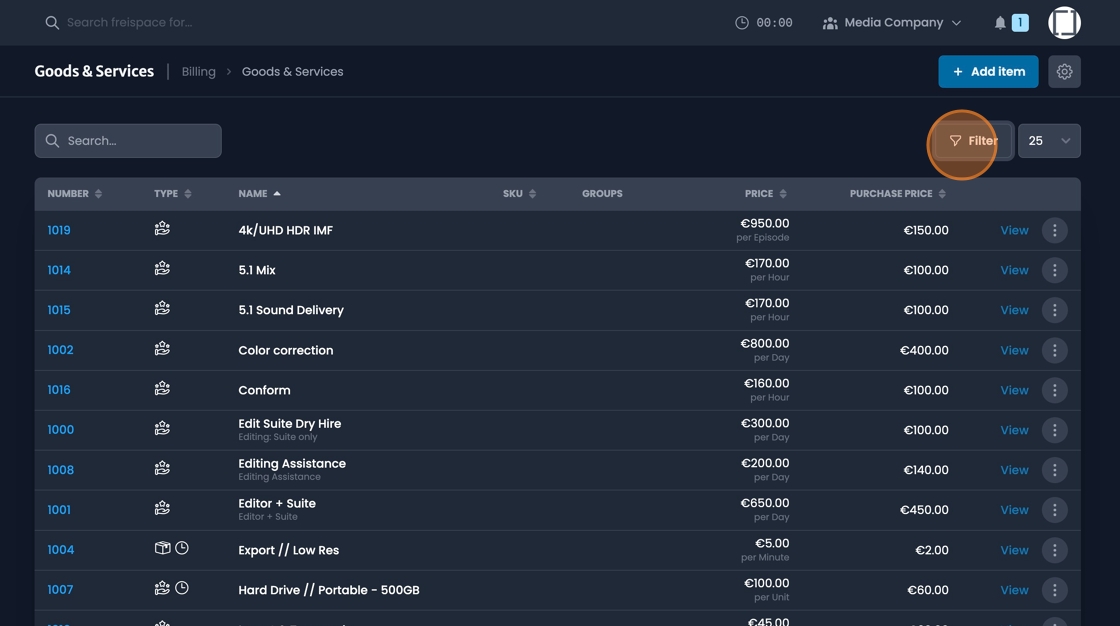
6. The "Goods & Services" landing page gives you an overview of the goods and services within your system.
![Goods and services landing page overview showing system inventory](/assets/images/goods-services-landing-overview-8648e6ec3e860f1ecb760dbeb8b8e230.jpeg)

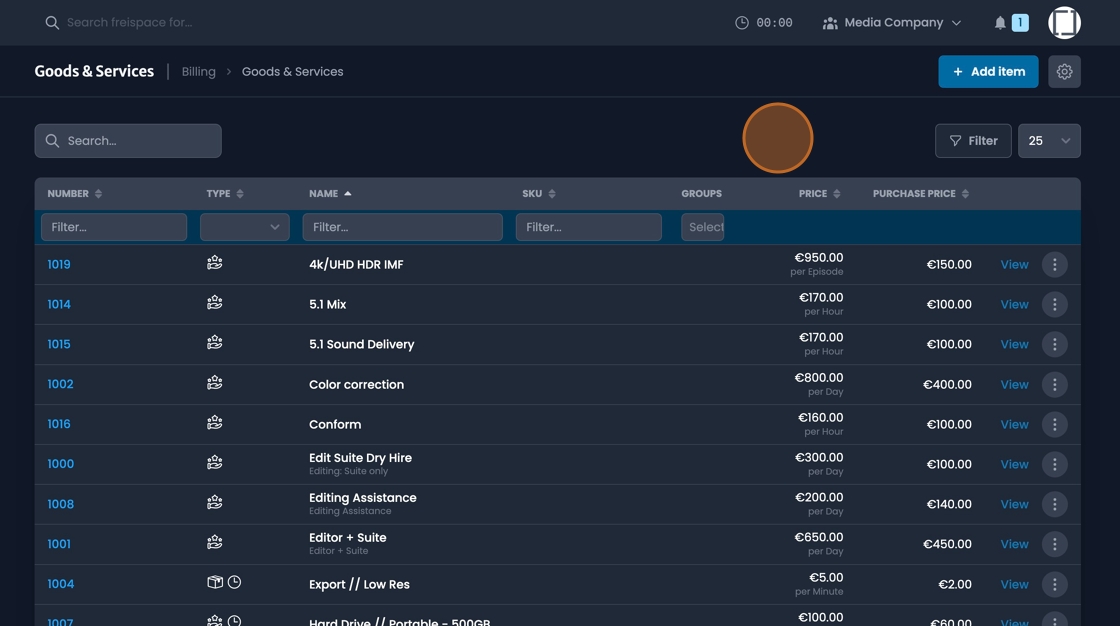
7. These can be filtered by number, type, name, or groups.
![Goods and services filter options for number, type, name, or groups](/assets/images/goods-services-filter-options-47d6ea9a3a6b97782f62080b09cde959.jpeg)


8. Click "View" on and item to see detailed information. View "Components", or "Client prices"
![View details button for accessing components and client prices information](/assets/images/goods-services-view-details-5839e1e99ee75619d439c6e08a189a45.webp)